Wednesday, September 16, 2009

[SW] Install Pidgin 2.6.1 in Ubuntu 8.04

The default version of Pidgin for Ubuntu 8.04 has had an annoying problem. When the user login, Pidgin gives many pop-up windows with error message: MSN Error: Friendly name changes too rapidly.

I don't know the causes nor solutions after Google searching, but they said the newer version has no such a problem. Therefore, I rushed into downloading the source and tried to install it. When I had no idea how complex this mission could be. There were too many dependency packages needed to install. After following the error message given by the configure script of Pidgin source package, I gave up.

Then I kept trying to find some other solutions.

There is deb packages for latest version of Pidgin. At the beginning, I thought it might be the most convenient way for installation. After run the deb package, however, it gave the dependency error message.


Finally, I found the best solution which is to add the PPA to the sources.list:

deb http://ppa.launchpad.net/pidgin-developers/ppa/ubuntu YOUR_UBUNTU_VERSION_HERE main
deb-src http://ppa.launchpad.net/pidgin-developers/ppa/ubuntu YOUR_UBUNTU_VERSION_HERE main

Then
$ sudo apt-get update
$ sudo apt-get upgrade
$ sudo apt-get install pidgin

Tuesday, September 15, 2009

[Py] Python: array and list

When I tested some basic functions in iPython, I noticed the differences between array and list.

At the beginning, I thought that if there are two matrices matA and matB in the same dimension, then I can just add their corresponding elements with ``matA + matB.'' By doing some tests, however, I found it's not what I expected.

>>> matA = [[1, 2], [3, 4]]
>>> matA
[[1, 2], [3, 4]]
>>> matB = [[-1, -2], [-3, -4]]
>>> matB
[[-1, -2], [-3, -4]]
>>> matC = matA + matB
>>> matC
[[1, 2], [3, 4], [-1, -2], [-3, -4]]

The plus operator concentrated matA and matB, and this was not what I needed.

Importing the ``array'' module still cannot let me do things I wanted.

>>> import array
>>> matA = array.array("i", [1, 2, 3, 4])
>>> matA
array('i', [1, 2, 3, 4])
>>> matB = array.array("i", [-1, -2, -3, -4])
>>> matC = matA + matB
>>> matC
array('i', [1, 2, 3, 4, -1, -2, -3, -4])

The solution is ``to use SciPy.'' Yes, if you want to manipulate matrices with Python more intuitively, remember to import scipy.

>>> from scipy import *
>>> from pylab import *
>>> matA = array([[1, 2], [3, 4]])
>>> matA
array([[1, 2],
[3, 4]])
>>> matB = array([[-1, -2], [-3, -4]])
>>> matB
array([[-1, -2],
[-3, -4]])
>>> matC = matA + matB
>>> matC
array([[0, 0],
[0, 0]])

Thursday, September 10, 2009

[Study] Good Fourier Transform explanation

Fourier Transform has been a widely used technique for extracting frequency information from temporal data. But I always wonder how does it work? What makes the FT has such a magical capability?

I thought about FT again yesterday and searched for some online resources. Here is a straightforward explanation of the principle of FT:

The Wavelet Tutorial Part 2 by Robi Polikar

I have to say: The idea of FT is really brilliant. Maybe this is something called ``the beauty of mathematics?'' :-)

---
Other links:
DFT, FFT by Paul Bourke (with C code examples)
FFT in Python by Yukuan (in Chinese)
Discrete Fourier transform by Jang (some content presetnted in Chinese)

Tuesday, September 08, 2009

[SW] PyX

PyX, another data plotting package for Python.

Here is an article talking about the PyX and matplotlib:
PyX, matplotlib, 3D & LaTeX

[SW] Python+SciPy+Matplotlib (installation and test)

There are many ways to use open source software and libraries to accomplish works which have been done by using Matlab. Oactve and Scilab might be two of the most well-known choices. Actually, my works don't need them very often and hence I don't know them well.

When I was reading some discussions about which one is ``better'' (okay, I know this question might be a stupid one), there are many information indicate that Python+SciPy+Matplotlib is a good combination to replace MATLAB. What I knew was Python, which occupied my weekend days to play around with. SciPy and matplotlib were new to me. I never heard about them but some screenshots showing their working results impressed me very much, so I decide to give them a try.

But it cost me more time than I expected. Orz (It's my own fault, not matplotlib's)

At the beginning, I installed the python-scipy, python-numpy and python-matplotlib via Synaptic Package Manager, and everything went smoothly. I just downloaded the examples and use python to see the plots. Good quality! And many formats including eps are available. When I tried to see the result given by a downloaded example (path_patch_demo.py), however, the python interpreter feedbacked error message said there was no so-called ``path'' module. I spent several minutes to figure out that the problem might caused by the version of my installations.

The newest version of the matplotlib is 0.99, and the one installed by Ubuntu was... 0.91.2! So I began to download newest version of matplotlib, SciPy and Numarray (Later, I found what I want to download is NumPy ,not Numarray, which is not supported anymore). Then, I followed the INSTALL files of the packages to find more other necessary packages. During the installation, I didn't follow all the instructions carefully and miss the libpng before installing the mataplotlib. Due to the mistake, the python interpreter said it cannot find TkAgg even the python-tk and tk8.4 have been installed (I'm not sure which one could be related to this problem).

Finally, I got new versions of the necessary libraries and can apply the examples with no problem.

Wow, it costed me several hours, but it's worth it because I learned more during the installing process.

---
Notes:
/usr/lib/python2.5/site-packages/matplotlib
/usr/lib/python2.5/site-packages/scipy
/usr/lib/python2.5/site-packages/numpy
Backend setting:
/usr/lib/python2.5/site-packages/matplotlib/mpl-data/matplotlibrc

Saturday, September 05, 2009

[Chat] Sponsoring Vim

I have used Vim for many of my works, and it has gave me really good experience in editing or coding. Therefore, I decided to help the development of Vim: donate some money.

Thanks to the service like PayPal, which makes the sponsoring easier and quicker. I can only give a few money, though. I am happy to receive the reply from Vim:

Thank you very much for registering Vim! Your contribution will
motivate me to spend more time on improving Vim. The money will be used
to help needy children in Kibaale, Uganda.

Monday, August 31, 2009

[SW] To make Windows can access Linux's ext2/ext3 filesystem

Here are two software I've found but not tried yet.
It seems that, however, only the Ext2Fsd is open-sourced. Therefore, I think I would try the Ext2Fsd first.

Ref:
ext2IFS vs. ext2FSD : which is better at assessing ext3 in windows?

Sunday, August 30, 2009

[SW] SCIM: How to restart?

Every time we change some settings or install/remove something of the SCIM, it told us to restart the SCIM. But how?

This is a tiny question but has resided in my brain for a long time. After getting the Japanese input method (scim-anthy) back, I faced to this question again. This time, I decide to find the solution, and here it is:

$ sudo pkill -9 scim
$ scim -d

This is my first time to know the pkill command, and it looks useful. Also, I finally know that the ``scim -d'' command is what I was looking for.

[SW] The Japanese input method disappeared from SCIM?!

Hmm... I might do something to cause this happened, but I am not sure. There has been an input method for Japanese in the SCIM of my Ubuntu till yesterday. I found it just disappeared. Even checking the setup of SCIM, I still cannot found the Japanese input method.

I tried to search some relevant items on the internet, and occasionally saw the term ``scim-anthy''. Oh, yes, I recalled that Anthy is the name of the disappeared input method. What needed to do is just install the scim-anthy again:

$ sudo apt-get install scim-anthy

And during the installation, there was no message showed that the scim-anthy has been in my system. So it's possible that I did something to let the scim-anthy disappear? I am just not sure. :-p

Friday, August 28, 2009

[QnA] Fast Dial went empty and Xmarks gave error message

Just two or three days ago, I surprisingly found my entities in the Fast Dial folder became empty. Later, The Xmarks icon set in the button right corner of the Firefox showed an error mark. I tried to update the Xmarks, but it just gave an unknown error message with nothing useful (to me). Knowing nothing to do, I chose one stupid approach: add the entities for the Fast Dial manually.

Why I was stupid? I didn't think about other possibilities. I even didn't think about looking for solutions on the internet!

Maybe I was just too tired after so many works. Today, I sat at the desk with the Firefox connected to the internet, and I think about searching the solution with Google immediately. Oh, there exists smart solution. What I needed to do is to login my Xmarks page and restore the old bookmarks.

Here is the solution: Xmarks, Fast Dial and Firefox 3.5
Step 1: Login into your Xmarks page, then my bookmarks -> Tools -> Explore and restore
Step 2: Delete the empty Fast Dial link in your bookmarks and let Xmarks "synchronize now". Note that you should download the bookmarks from the server, do NOT merge them.

I never know that the Xmarks keeps so many backups of one's bookmarks. That's a pretty consideration for users.

If you need to restore one of your old bookmarks, just click one of the radio button and then View it to see whether you've chosen the one you want.

Tuesday, August 25, 2009

[SW] GTK+ Menu Widget

Here is a web page I found. There are two example codes to illustrate two ways to create the menu bar with items.

That web page is written in Chinese, and if you don't read Chinese, here is another web page in English. I believe the English one is the original one and it contains more details in explanation.

The new version tutorial of the Gtk+ menu widget can also been found on the GNOME library website:
http://library.gnome.org/devel/gtk-tutorial/stable/c1501.html
You have to go through the following pages to complete that section.

[QnA] Ubuntu update problems...

I've been bothered by the so called ``GPG error'' for some days. There was an error message about the wine, which was installed for the IEs4Linux. My experience of using the IEs4Linux, however, had been not positive, so I decided to remove it as well as the wine package.

After removing the wine, the error message about it was gone, but there are some other errors. Then I searched solutions via Google, and followed several approaches including something like the follows.

$ cd /var/lib/apt
$ sudo apt-get clean
$ sudo mv lists lists.old
$ sudo mkdir -p lists/partial
$ sudo apt-get update
...

Also, I noticed that in the error messages, there are terms about ``hardy-security main'' and ``hardy-security universe'', so I found them in the sources.list and blocked those lines contain the terms. Then, I tried and tried, and finally I restored the old /var/lib/apt/lists and have the following error message:

W: GPG error: http://security.ubuntu.com hardy-security Release: The following signatures were invalid: BADSIG 40976EAF437D05B5 Ubuntu Archive Automatic Signing Key <email address deleted>

I was totally missing in what I was doing because I have weak background in the update issue.

And just several minutes ago, I saw on the internet that someone suggest people who encounters such a problem could change the download server. So I also tried it. At the first try, it didn't work. I noticed a button read ``Select Best Server'' and tried it. Then reload it and problems gone. Actually I don't think I've not really solve the problem yet because I am not sure what I've done. But at least, I've learnt that servers could be related to the updating problems.

Thursday, August 13, 2009

[SW] Regexp substitution in VIM

Vim is my favorite text editor. I use vim for editing plain text or programming. It has many features which I've not been familiar with, and the substitution with regexp is on of them.

I had a little problem in one of my script file, which has been used to chop some data files into shorter segments for further usage. When editing the script, I need to delete some parts which are in the form of ``some digits, some digits''.

For example, I need to delete ``90,185'' or ``1455,2010'' in the script for composing a newer one. Because the digits have different length, my original substituting pattern ``[0-9],[0-9]'' didn't work. I had tried many different regexp patterns as I've known, but no one match my requirement. Then, I think I have to add some more knowledge about the regexp used in vim to improve my skill as well as the work efficiency, so I went to the help of Google and find the following website: Vim Regular Expressions 101.

Finally, I found what I needed. Some quantifiers can be used to set how many times certain part of the pattern should repeat. So my working pattern of regexp become ``[0-9]\+,[0-9]\+''. Learnt something new again. :-)

Monday, August 10, 2009

[QnA] Convert MOD to AVI using transcode

If you happen to have a JVC digital camera and it gives you MOD file, then you might need to convert the file into AVI format.

It's an easy task with the help of transcode:

transcode -i input.MOD -y xvid -o output.avi

Done. Happy. :-)

Friday, July 31, 2009

[QnA] Problems of NetworkManager in Ubuntu 8.04 (with unclear solutions)

Recently, I want to set up the wireless network of my PC in the ad-hoc mode. When I tried to follow the instruments found on internet, however, I found there is one thing strange of my NetworkManager. It had no ``create new'' option for me to add an ad-hoc setting. After some works, I realized that my NetworkManager's version was too old. It's necessary to use version 0.7 to have the ``create new'' function, but mine was version 0.6. So I started to find new version and began my hard works for the installation.

(Yes, I always have a question about this kind of situation: how can one install many needed packages via ``sudo apt-get install'' while he or she has no internet connection? Fortunately, I had connection to internet with an old wireless setting, and what I wanted to do was to create a new wireless setting in ad-hoc mode.)

With the complains given by the configure.sh, and the help of Google, I finally installed newer version of the NetworkManager.

(Later, on the internet, I found a much easier approach[1]. Just add two lines in the sources.list and update and upgrade, then restart the computer. After doing these steps, we can just use apt-get again to install the newer version NetworkManager. Although I did almost every steps, but I didn't know I should restart it. Maybe this was why I spent so many time and efforts for the installation. Anyway, I can't remember the details.)

Then, another problem followed. The icon of the newly installed NetworkManager showed ``disconnected'' state. The solution is pretty simple[2]. Just edit

/etc/network/interfaces

and keep only the first two lines.

Finally, I followed the instrument[3] and tried to set up the new connection in the ad-hoc mode. However, I didn't make it. What worst was every time I tried to create the ad-hoc connection, the original connection lost and I have to reboot my PC to make it come back.

Wait, ad-hoc host? Hmm, I noticed that what I have did was to creat an ad-hoc HOST? I don't want to create a host! There is already a ad-hoc host on another Windows PC, and what I want is just connect to the internet via the host!

Okay, I don't have enough knowledge about the network and related settings to find adequate solutions. I need to take a break. =__="


[1] How To: Network Manager 0.7 SVN (link)
[2] Ubuntu 8.10 Network Manager Doesn't Recognize Wired Network Device (link)

[3] Creating an adhoc host with Ubuntu (link)

Thursday, July 30, 2009

[SW] HMM source code/library

Two free source code/library of HMM:
I've installed it in my Ubuntu, but still have no time to play with it.
Written by Prof. Dekang Lin. The overall package looks not complex. I've compiled the source code with the included Makefile and the program works normally. I would dive into these code files to learn something about HMM's working principle and how to implement it.
I found this package when I was searching ``k-means HMM''. I've not tried it yet.

[Study] Useful websites for pattern recognition

I am learning pattern recognition and want to find useful information for PR beginners like me. Here are something I found and might be helpful:

This is a personal website with abundant content. Dr. Kardi Teknomo introduced some techniques used in PR or ML (machine learning) in a very friendly way. There are still many other topics which I don't know much, and may be also useful if you are searching them.
Lots of links. But the web page reads ``Due to a reorganisation we are not able anymore to maintain these files. They will be removed in the near future.'' I hope they keep maintaining these information if they have web space for it.

If you do read Taiwanese Han-characters (traditional Chinese), this website is another tutorial you could consult.

(The list might be extended when I find more.)

Sunday, June 14, 2009

[SW] ffmpeg: symbol lookup error

When I was trying to use ffmpeg to convert flv files into other format, it gave the ``symbol lookup error'' message. After searching solutions via Google, I found installing the latest version by compiling from the source code worked for me.

So, just remove the installed ffmpeg in Ubuntu, then go to ffmpeg website to download the latest source code. Follow the install procedure (./configure, make, and make install) then ffmpeg works well.

ffmpeg -i input_file.flv output_file.mpg

Wednesday, May 27, 2009

[SW] Ubuntu keyring... install then remove the libpam-keyring

Yesterday, I encountered a situation about which I really have no idea. When I attempted to open a remote directory of another Ubuntu PC, there came a dialog asking me for ``Unlock Keyring.''


Then I went to get some help from Google searching, and found the link. I followed the guidance, and didn't notice too many details in that article, and when I restart my Ubuntu today, I can't login into the desktop environment!

Fortunately, I have learned how to brows using elinks in virtual terminals, so I went back to the link just mentioned and found what I have done yesterday. Then I remove the setting did yesterday in the /etc/pam.d/gdm. Reboot, and everything was normal as usual.

I still don't know very well about the concept and related setting of the keyring. Listed below are some links I found might be useful for (my own) further reading.

Tuesday, May 26, 2009

[SW] Ekee -- LaTeX equation editor

Yes, another handy tool for people who knows how to edit equations in LaTeX. Ekee, was named eqe, is a equation editor let user produce pretty equations interactively. Furthermore, you can drag and drop the equation to some other supported applications such as OOo Impress.

You can save the result like this:


It is also possible for you to reopen this equation, even saved in png file, with ekee for further editing or modification.

Sunday, May 24, 2009

[QnA] How to increase the number of tty in Ubuntu

Because I like to work in virtual consoles (ttys), sometimes I feel only six ttys is not enough. But, how to increase more ttys than the default number, i.e. six, given by Ubuntu? I found there are many tty* in /dev, so I guessed there should be some way to ``enable'' these virtual consoles.

After searching on the internet, I got some information:
  • To open a tty, the file /etc/inittab is the key
  • Ubuntu has no inittab, which has been replaced by the files in /etc/event.d
So, I listed all the files in /etc/event.d and found there are files named from tty1 to tty6. Then I check the contents of these tty* files and found all of them have almost same setting inside, like the follows.

# tty1 - getty
#
# This service maintains a getty on tty1 from the point the system is
# started until it is shut down again.

start on stopped rc2
start on stopped rc3
start on stopped rc4
start on stopped rc5

stop on runlevel 0
stop on runlevel 1
stop on runlevel 6

respawn
exec /sbin/getty 38400 tty1

Ah, the rule emerged. I copied the tty6 to be tty8 to tty12 (tty7 is for the GUI desktop, as I know...), then replaces the string ``tty6'' in all the copies to their corresponding tty number. Finally, I have 11 virtual consoles, i.e., tty1 to tty6 and tty8 to tty12.

[Heli] Raquel Bellot -- Amazing Lady 3D Fly

Do you know how to perform 3D fly with the RC transmitter behind you or on your head? Raquel Bellot, a Spain RC helicopter flyer, showed you the way she did:

http://www.youtube.com/watch?v=II-V-561ro4

Some photos here: AHS 2008

[SW] Using templates of OpenOffice (Writer)

One important thing I have learned from using LaTeX might be the concept of ``separating the style and the content.'' This concept is actually universal in various works. For example, the CSS file for the HTML files. We can set all the styles needed in one file, and use this file with many different files which share the same style settings. This concept makes thing easier and more efficient as we dealing with more and more files.

The same concept is also true when we work with the WYSIWYG word processor. Most people use MS Office, but I preferred the OpenOffice due to its ``open'' nature. I am always looking ways which can help me use the word processor more efficient or more professional. I don't want to just utilize a powerful software with its maybe only 2% or 3% capability. If you can explore more deeper ways to use a software, it often means you can handle the software better and do more things with it. In addition, in my own opinion, to dig into the advanced function of a software is to respect the authors who worked hard to develop the software.

When using the OpenOffice Writer, a template could make things easier. With the help of the template, you can compose different files and all of them have the same style. You can change the style of every detail items by yourself, just as most word processor users as I know, but a better way to handle the style is to set up a template, then adopt it for further file editing.

There are many tutorials available. I listed some I found and regarded useful as the follows:
So far, the only inconvenient feature I found is the way of applying new template to an existing file. It seems no ``apply new template'' function in OOo Writer, so the user has to rebuild a new file from the new template, and then copy and paste all the content from the old file to the new one.

Friday, May 22, 2009

[SW] Install the newest Scilab on Ubuntu

Here is a clear guidance shows how to install the newest stable Scilab from the binary package. I have just remove the Scilab-4.1.2 installed via Synaptic Package Manager, and installed the Scilab-5.1.1 downloaded from the website.

Everything looks smooth so far. At least the GUI interface looks better.

[SW] Scilab -- reading a data file

To read data files we have generated by other means into Scilab, use ``read'' seems a convenient way.

Don't use ``load'', which looks like a function to load variables saved by Scilab using ``save'' that produces binary data files.

Take one of my data files as example, the data file consists of four columns: time, ax, ay, and az1

1.00000 0.139641 -0.139664 0.980796
1.03125 0.125245 -0.152101 0.975367
1.06250 0.143240 -0.153878 0.966317
1.09375 0.141441 -0.157431 0.964507
1.12500 0.127045 -0.139664 0.964507
1.15625 0.134243 -0.157431 0.968127
1.18750 0.137842 -0.148548 0.982606
1.21875 0.128844 -0.148548 0.975367
1.25000 0.127045 -0.144994 0.984416
1.28125 0.146839 -0.153878 0.971747
1.31250 0.150438 -0.148548 0.966317
.
.
.

Then use ``read'' to get the overall data as a matrix.

data = read('dataFileName',-1,4); // -1 means we don't know the data number of row
data_time = data(:,1); // assign the 1st column to the 1st variable
data_accx = data(:,2); // assign the 2nd column to the 2nd variable
data_accy = data(:,3);
data_accz = data(:,4);

For the convenience of future using or modification, we can save the above script as the fooFileName.sce file. Next time when we need the script, just use ``chdir'' to change the working directory where the sce file exists, then use ``exec fooFileName.sce'' to execute the script.

Wednesday, May 20, 2009

[Chat] The Linux Counter


Here is my registered number of The Linux Counter. The purpose of this ``counter'' is for fun, so I also registered for fun. :-)

Monday, May 04, 2009

[SW] CLI: playing the video in ASCII art

I am just a normal PC user, but I like working with command line or text mode very much. The reason might be I think text mode is ``pure'' and ``simple.'' Of course, the word ``simple'' never mean it is simple for the users, but means the way of appearance or presentation.

After learning something useful in command line, e.g., writing and debugging code (gcc and gdb), surfacing the internet (elinks or w3m), and play audio files (mp3blaster), I began to curious about how to play video in command line mode.

To play a video, there are also methods to do it with the command line.

For VLC, try:

vlc -I ncurses yourVideoFile

For Mplayer, try:

mplayer -vo aa yourVideoFile
mplayer -vo caca yourVideoFile

where -vo means video output driver. The drivers aa and caca are used for monochrome and color ASCII art video output, respectively.

The results are funny. When you look at the monitor at normal distance, you may hardly figure out what are you watching. There is only rapidly changed ASCII symbols! As you step back form the monitor, however, you will find all the dynamic images become clear and meaningful. You are watching video consists of many ASCII symbols!

Here is one screenshots captured on my monitor. Use mplayer with -vo caca:
(Original video can be viewed on YouTube: 元ちとせ-春のかたみ. By the way, I love songs of 元ちとせ [Hajime Chitose] very much.)


Of course, the above image was captured by playing the video using Terminal in the desktop environment (pty?). I don't know how to output the ``image'' in the real command line mode (tty?).

Also, there are still some problems I don't understand. The first one is when I invoke the vlc with -I ncurses option using pty, the video still be played via the GUI but not the expected ASCII way. Another problem is that the aa option of mplayer cannot paly the video properly. Only part of the image was shown, as the following scrrenshot:


The final problem is that, when invoked under the tty, the mplayer did not do these works as well as it did under the pty. The reverse is true for vlc, however. Maybe someday I will realize the underlying reason about all these problems... maybe. :-p

[SW] SoundConverter

I was searching a software to convert my ogg files to mp3 format (for my mp3 player, which doesn't know the ogg files). Several days ago, I found the SoundConverter, which is an application in GNOME environment.

If you have some sound or music files to convert the format, I think the SoundConverter is a good choice.
---
[edit: 2010/12/28]
To use the SoundConverter in the command line, here is an example to convert *.ogg to *.mp3.
(Why bother to convert ogg to mp3? Because I have an old music player which doesn't support ogg format! :-p )

Suppose you are in the folder containing ogg audio files:
$ soundconverter -b -m audio/mpeg -s .mp3 *.ogg

Tuesday, April 28, 2009

[SW] View images in text mode (CLI)

I was just wondering how to view images in command line interface (CLI). So, I typed keywords to Google and find there is a package named ``fbi'' for this kind of purpose.

After installation, however, the fbi did not work in my Ubuntu. I removed it, and reinstalled again when I found the solution.
sudo vim /boot/grub/menu.lst
Search for ``defoptions=''
add the ``vga=791'' under the line of ``# defoptions=quiet splash''
Then
search for ``/boot/vmlinuz''
add ``vga=791'' to the end of the line

That's funny, and that lets me do more works under text mode console. :-)

Monday, April 27, 2009

[SW] Change filenames, using: ls sed xargs, and mv

I found the instruction (in Chinese) and made some modification to meet my own needs.

For example, I have several png files named in the form of dataCounts_*_g.png, and I want to mv them into the form of *_g_f.png. All I have to do is to delete the ``dataCounts_'' part and insert ``_f'' into ``_g.png.''

Because I don't need to change all the filenames under the working directory, it is not necessary to use find. Using ls is enough.

Furthermore, I need to change more than one part of the original files, so I apply the substituting function of sed twice. Finally I have the commands as the follows.
ls *.png | sed -e p -e 's/dataCounts_//' -e 's/_g/_g_f/' | xargs -n2 mv

Friday, April 24, 2009

[SW] Grace -- a WYSIWYG 2D plotting tool

I tried to write a shell script to cooperate with the gnuplot, and encountered some problem when I wanted to modify my script to be more ``useful.'' After try and try, I decided to post my question on Google Groups for help (here is the thread). Then although I didn't get direct reply yet, the kind user gave some useful information, that is, the plotting tool Grace.

From the Grace's homepage, it looks really good at plotting and also analyzing data. I have not start to try and use it, but I will, later.

Thursday, April 23, 2009

[Chat] Security and open source software

Here is an article written by Robert Dewar, titled as ``Open Source Software for High Reliability Applications: Is it safe?.''

The author argued the benefit of making the software open sourced. He believed that, by doing so, the software could be safer and we could avoid using software containing bugs which no one can discover because the source code is kept privately.

Besides, the comment left by the reader jogafe also gave me some new opinions.

Friday, February 27, 2009

[SW] JabRef -- An easy-to-use reference manager

When I was a 100% Windows user and had no idea about application software out of the scope of Microsoft's, it was a nightmare to write a list of reference for my paper or report. It's possible for me to survey and gather lots of papers in electric forms (e.g. *.pdf files) and then store them in folders of the hard disk. When it's time to list them out or to recall what I've read from those papers, however, I always got lost in those files, especially after a period of time, say, one month or even longer.

Besides the difficult of managing the papers I have found, there is another problem when I was composing my paper. Writing the reference listed in the final part of paper had been a bit of cumbersome work, if you type every single terms by yourself, just as what I had done. Actually, I am not sure whether the MS Word has clever ways, I mean, really clever ways, for the user to add the reference list to his or her own articles, but I was always type all the words of the reference list directly. It's apparently not a smart approach. What worse is that you, just like me, probably don't master all the styles of the reference you cite. For example, how to abbreviate the author's name? Put the first name in front of the last name or exchange their orders? Where to insert the volume number of a journal? To use a comma or a period? All the details will consume your energy or at least bother you every time when listing the reference.

Let JabRef do these works for you.

JabRef can help us to manage the many papers we have. Assume that you have dozens of papers saved in folders of your computer, you can link files to the items of your JabRef list. It's easy for you to group the papers, and every single paper could be assigned to more than one group. This makes life easier, because you can find papers of certain group even they are saved in different locations in your computer.

Another nice feature of JabRef is it allows you to input the information of reference without caring the format. There are fields for you to key in necessary and optional information of the papers, then the JabRef will arrange these information into the bib file which is extremely useful for composing articles by using LaTeX.

The usage of JabRef is quite easy. I have never refered to its help documents seriously and I still can use it happily.

Here are some screenshots of JabRef. Just take a look at it, and download it for a try.

Tuesday, February 24, 2009

[SW] GSL -- GNU Scientific Library

God, the open source community always make me surprised!

About 2 or 3 days ago, when I was searching for some open source code to add Gaussian random noise to my artificial data, I found the GSL (GNU Scientific Library). It's amazing. Although I am not very good at programming, but after some trials and with the help of examples, I produced Gaussian distributed random noise successfully! And there is pdf (probability distribution function) function for me to check the Gaussian distribution data.

Big thanks to all the people contributing to the open source world!

Here is the source code I used to generate Gaussian distributed random noise (first image), and also the pdf of the generated random noise (second image).

/*
* gcc -Wall rngGussian.c -o rngGussian -lgsl -lgslcblas -lm
*/

#include <stdio.h>
#include <time.h>
#include <gsl/gsl_rng.h>
#include <gsl/gsl_randist.h>

int main(void){
const gsl_rng_type * T;
gsl_rng * r;

double randomNum;
double randomPdf;
int i;

gsl_rng_env_setup();
T = gsl_rng_default;
r = gsl_rng_alloc (T);

gsl_rng_set (r, time(NULL)); /* use time() to generate the seed */
for(i=0; i<1000; i++){
randomNum = gsl_ran_gaussian(r, 1.0);
randomPdf = gsl_ran_gaussian_pdf(randomNum, 1.0);
printf("%lf %lf\n", randomNum, randomPdf);
}

gsl_rng_free (r);
return 0;
}

Monday, October 27, 2008

[UAV] Draganflyer X6

My friend sent me a link today, and it is the Draganfly UAV. There are two types of UAV they have, and the helicopter one (X6) is really amazing. After viewing some of its videos, I can only say ``Wow...''

The X6 has different configuration from the R/C type which has four arms and blades. The three sets of counter-rotating blades of X6 should improve its aerodynamic performance, and also saves the energy from wasting on anti-torque.

Here are some videos of Draganflyer X6. Hope you enjoy with it.

Sunday, May 18, 2008

[UAV] 080515 Flight Test

Okay, we had some successful tests that day.

Before the test, I asked CH and Shawn to exchange the OEM4 and OEM5 which were installed on SWAN and H-LING, respectively. Therefore, at the beginning of the test, SWAN was equipped with OEM5, and something wrong during the flight. We found the onboard PA gave abnormal information, and of course SWAN couldn't perform normal heading tracking flight. At first, we thought the problem was due to the complementary filter which had not been tested onboard before. However, after turning off the complementary part, the PA still exhibited strange results. Then, we put the OEM4 back instead of the OEM5, everthing was okay! Therefore, we concluded that something not right with the OEM5.

With the complementary PA, SWAN had performed several not bad heading tracking and turning. It has been about two years since the previously autonomous flight of SWAN. The successful flight test made SWAN ``reborn.'' At least I feel so. :-)

Another good result is the PA of H-LING calculated onboard. The PA calculated in realtime matched the one by post-processing. So, it's the time to test the PA in the hovering control.

God bless H-LING.

Friday, May 16, 2008

[UAV] 080513 Flight Test

Because Shawn has to realize the heading tracking of SWAN, and I also want to apply my method of attitude determination for the model-scaled helicopter, we decided to have another flight test.

On that day, only H-LING was tested. And the number of the testing group was the least one: only 3 people.

CH, Shawn, and me, we went to Saikang with the H-LING system in one car. That's really a simple team. I was the pilot, CH took the video, and Shawn was in charge of the GCS.

The PA of the H-LING seemed not good according to the report by Shawn in real time. After the flight test, I ran the code to check the PA and found they were totally unacceptable... We didn't know why then, but later, with another flight test, we have known that's due to the GPS receiver.

Monday, May 12, 2008

[UAV] 080509 Flight Test

Yes, we conducted 3 flight tests in a single week! My God, it really made us exhausted.

Some good results, however, was obtained.

We tested SWAN and H-LING that day. The attitude determination methodology of SWAN had been modified. When the pilot switched SWAN to auto-mode, I felt some tension as SWAN rolled too one side. But it turned back!

SWAN did ugly but stable autonomous ``straight'' flight. It ``meandered'' across the sky along the desired heading. Some modification of the attitude determination method seems necessary, and we have decide to accomplish it before the next flight test.

We found a problem of H-LING's fuzzy logic controller. The attitudinal inputs didn't fired the corresponding rules. This might be the cause of the poor resistance of H-LING to the side wind. H-LING cannot restore its own attitudes after deviating from the trim condition, and the unfired rules might be the reason.

[UAV] 080508 Flight Test

The test was not so successful. Only SP-X.6 did some tests for gathering data for system ID.

SWAN didn't show attitudes' information on the GCS (ground control station) and hence only flew to record some flight data. Unfortunately, these data showed no useful information. Some programming bugs caused the failure.

That day was not H-LING's day either. After the test of SWAN, the Xsens AHRS suddenly had no output. H-LING has shared the same AHRS with SWAN, because the other one was sent to Holland for repairing and has not been sent back yet. Therefore, we ended the test of H-LING even didn't start the engine.

Sunday, May 11, 2008

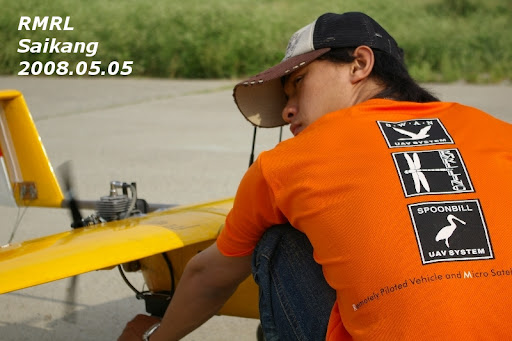
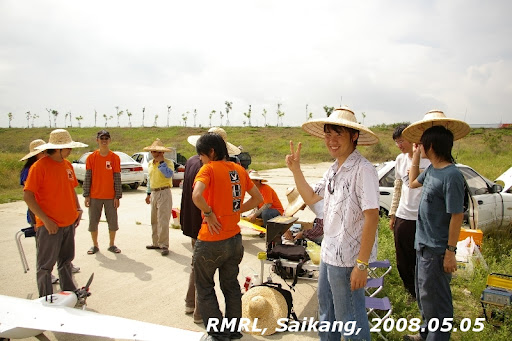
[UAV] 080505 Flight Test

Only SWAN had flown for test that day. The AHRS was still not usable under the vibration. The attitudes, especially the roll angle, were not reasonable. Therefore, SWAN didn't perform expected autonomous flight.

The weather became worse after SWAN's flight test. It rained, and we decided to terminate the tests before our gears got into the rain. We had too much stuff to load them back to the car in time. Fortunately, our pilot's car offered a good shelter for our aircraft. He even drove these things back to our lab. Thanks for his great help!

Okay, only one thing was worthy for me to record, that is, the inverted hovering of the RC helicopter which is shown in the photo. However, I found only 20% performance of what I have in the simulator can be realized in actual RC flight... Orz

Wednesday, May 07, 2008

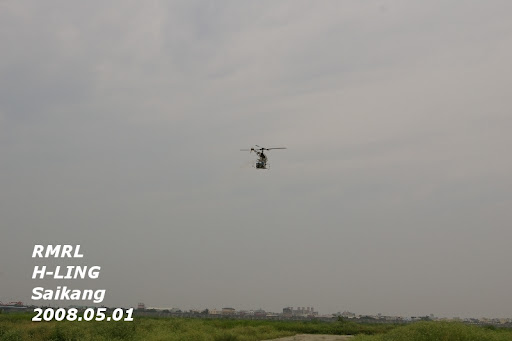
[UAV] 080501 Flight Test


The flight tests were completed without too severe problem. Only the SP-X.6 had a hard landing due to the pilot's concern. Because the runway end located high bush, it has been a obstacle threatening the pilot as landing. The pilot wanted to slow down the aircraft while avoiding the bush in the same time, then the SP-X.6 went into stall just before flare. Fortunately, only the nose gear was bended and no more damage else.

SWAN did some fuzzy control to track given heading. Some results were good and some were unacceptable. After checking the onboard program, we found the cause. The definitions of the heading were not consistent. One was defined from 0 to 360 and another was from -180 to +180. Therefore, when the heading was given westward, then the SWAN went the wrong response.

H-LING also tested with the FLC and some results were not bad. The helicopter held itself in hovering for several seconds, and the longest one was about 12 or 13 seconds. However, we found the recorded data showed some unexpected results. The FLC controlled the helicopter toward the desired attitude and then drifted away sometimes. The reason has not been figured out yet.

More photos can be seen HERE.

Friday, May 02, 2008

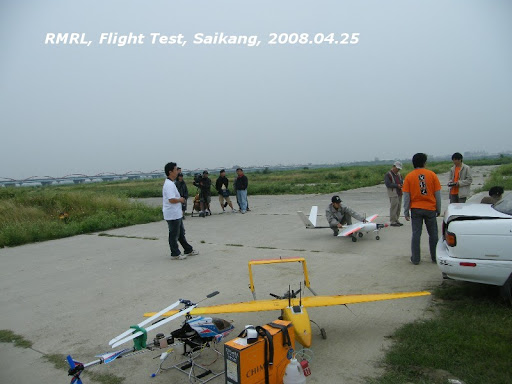
[UAV] 080425 Flight Test


As usual, we had three groups for flight test. Actually, we are ``a'' group with three UAV systems for testing.

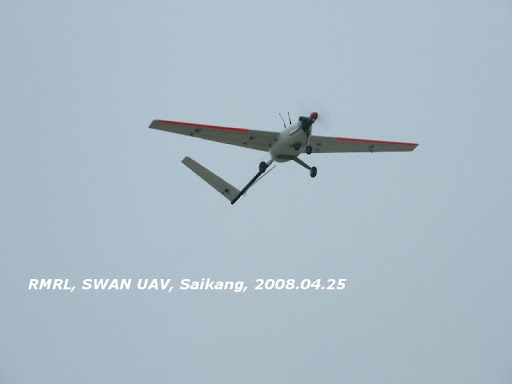
The SWAN UAV is the oldest system in use of our lab. It's a fixed-wing UAV made by fiberglass. It had completed beyond-the-vision cross sea flight in 2005. Here is a video about the SWAN.

The second fixed-wing UAV is the SPOONBILL, which has been designed by Chi-seng for longer range autonomous flight. The goal is to fly from Tai-lam (Tainan) to Phenn-ou (Penghu). We all hope this project can be successful. Many tests have been done with a 60% scaled prototype, the SP-X.6. It was also flew on that day. The yellow one in the photo is the SP-X.6.

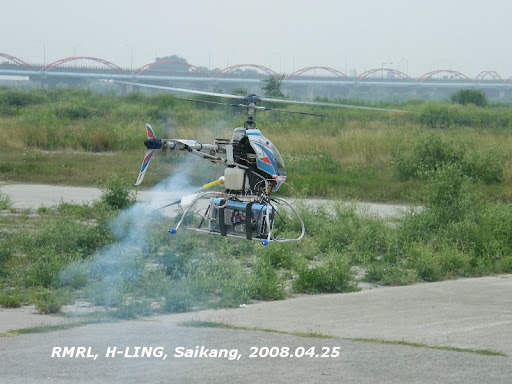
H-LING is the third system which is an unmanned helicopter project launched in 2006. Since about 2007, I have been the test pilot of H-LING. This project is still under the phase of hovering control test. We have worked hard to try to realize the autonomous hovering, but it's really not an easy task. However, the relevant studies about the H-LING is interesting. At lease, it is true for me. :-)

On that day, unfortunately, we crashed the vehicle of H-LING. Something abnormal happened when the vehicle was flying in automatic rolling control. A sudden pitching down occurred when the pitching cyclic input is still under my control. I ignored the abnormal motion and kept to test the rolling control. Finally, the vehicle lost the control suddenly. I turned off the automatic control but still cannot save the vehicle. It was just totally out of control and crashed down. We all have no idea about the causes. Of course, this was not the first time we crashed vehicles in flight tests... :-p

The autonumous hovering in that day was not successful. Still lots of works to do.

[Heli] Inverted Flight: Very Slow Progress

My first inverted flight of the RC heli was done with T-rex 450 SE before more than 1 year ago. Now, I can invert the heli steadily in hovering at altitude lower than a man's height. Of course, I am still practicing for inverted flight in different orientations.

It's really very slow for my progress in the RC helis' flight. Perhaps that is because that I have no talent and no time as well as money to have enough practices. But it's okay, I have had lots of fun in learning to control the RC helis! :-)

Moreover, this hobby makes me able to help our lab to conduct the unmanned helicopter's flight test. In these 2 years, I have flown almost all the helis in flight tests of our lab. I am very glad to contribute to the team work.

Keep flying.

Tuesday, January 22, 2008

Data is/are?

When I am writing my dissertation, I have been bothered by the usage of ``data is'' and ``data are.'' After searching via Google, I have found some information and some of them give some interesting opinions.

Thursday, March 08, 2007

[SW] MathCast-- Equation Editor

MathCast is an open and protable software (green software) for equation edition. It saves me from MathType, because I have no money to purchase MathType... Orz

Of course, you can not expect that MathCast can replace all the excellent capabilities of MathType. It is still good enough, however, for usual applications.


[SW] Maxima-- test of matrix manipulation

Wow, what a big matix...

This is my first idea when I saw the results from Maxima. I typed the matrix in textfile, then open it with Maxima. Here are some results.


You can get this result by typing


If we use invert command to inverse the previous matrix, then here is the inverted matrix

Column 1


Column 2


Column 3


Wow...

I think maybe there are some tricks I have not known, or I have to do the manipulation with my hands and pencil. O__O

Saturday, March 03, 2007

[Heli] Inverted Flight Improvement

Yes, I did the really inverted flight with the T-rex 450SE!

Just in today's afternoon, I and Chih-sen went to the field for the flight. It is still quite challenging to me to inverted the T-rex. I can not pull the control stick precisely, so occasionally some kind of unexpected motion happens when the T-rex is pitched down to be inverted.

I did some ugly pitching-down manoeuvres, and it made me very tense. Suddenly, in one of the inverted flight, I can see the vehicle clearly. It became easier for me to control it, just like what I always do in the simulator!!

It is a encourage to me. Good job today!

[SW] Static local variables in Scilab

I rewrote my C code program into Scilab. When executation, however, I found there are some errors about variables undefined.

After some check, I figured out that might be the problem of "static local variables".

Here are 2 messages I found in Scilab newsgroup:
static local variables in Scilab

I don't want to use global variable declaration. It's not a good news for me that I can not declare static local variables in Scilab... :-(

Thursday, March 01, 2007

[SW] Maxima-- A Computer Algebra System

Maxima

Several days ago, I was trying to derive an inverse of a 3 by 3 matrix with its mathematical symbols. It's really a tedious work. What might be worse is aftering the horrible manipulation, one can not to be sure if the result is correct!

Now, the Maxima looks like the savior. I think I would like to try it and then write down the test result.

[SW] Scilab

Scilab Homepage

I downloaded it several months ago, but haven't spend time to understand it yet.

These days I encountered some problem in my Kalman Filter C code. For 2 by 2 matrix, everything is fine. When I rewrote the program for 3 by 3 case, however, it went overflow with causes I cannot figure out... Orz

Therefore, I think it is necessary to write the code in something like Matlab. Open and free software occurred to me, and it is the downloaded Scilab.

Hope I can get familiar with it as soon as possible, or my research progress will be delayed more. :-p


Here is a homepage including informations and tutorial materials about Scilab:
http://www.engineering.usu.edu/cee/faculty/gurro/Scilab.html


Another basic tutorial: (added at 2009/05/22)
Master Scilab! by Finn Haugen

Monday, January 29, 2007

[Heli] Canopy Painting for T-rex 450SE

The original plastic white was a little boring, so I decided to add some colour on our lab's T-rex 450SE. It's the metal blue, and looks not bad. If I have more time, I think I will apply another colour, maybe the metal gray, on the bottom of this canopy.

Monday, January 15, 2007

[Heli] My 1st Inverted Flight

Date: 2007/01/11
Location: In fornt of the IAA building
Heli: T-rex 450SE

Here is the video taken by my friend with his new mobile phone:

http://www.youtube.com/watch?v=vwVJJ8kBydk

After the 1st inverted flight, I was very excited and tense. During the 2nd trial, I pull down the collective pitch too slow and T-rex fell down... Orz

Although I crashed the helicopter, this is still a good beginning for me. I felt the true manuever with T-rex. I think I can do it better during the next flight! :-)

Wednesday, January 10, 2007

[Heli] T-rex 450SE is ready for 3D flying!


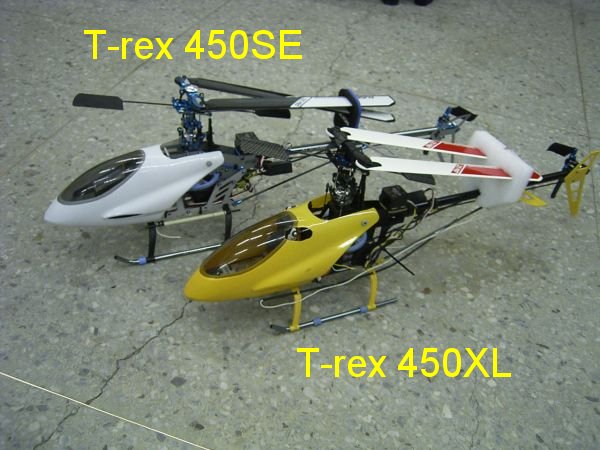
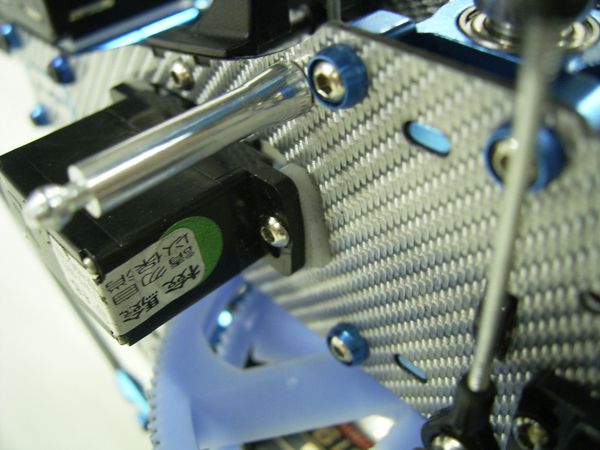
Our lab bought the T-rex 450XL last year and it has been hovered or flew in simple way by 4 members in our lab. Several weeks ago, I think it is time to upgrade our skill and of course as well as the helicopter. Based on the experience with the T-rex 450XL, the T-rex 450SE became the first (maybe the only one) choice. To purchase the T-rex 450SE, we can get information and help easily.

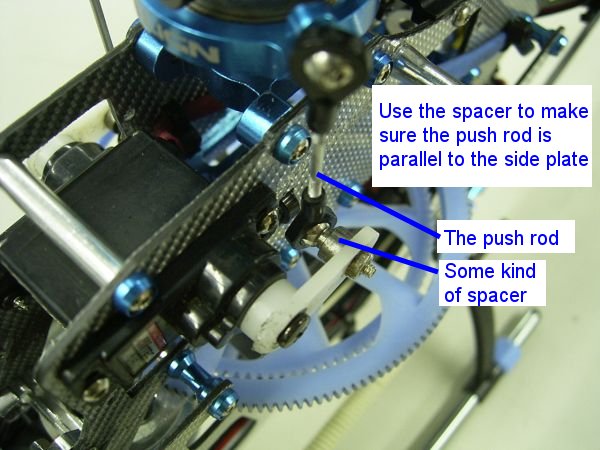
Because I had the assembage experience of the T-rex 450XL, I started to assemble the new coming T-rex 450SE by myself. However, I encountered some troubles in setting the servos up. The side plates are different from the T-rex 450XL. I didn't sure how to fix and trim the servos with thier arms. I had no idea about the position for the speed controller, the receiver, the battery, and so on.

Finally, I decided to ask someone who is expert in this. Siau-Chong is the one who can solve my problems. He assembled the rest parts and set everything ready.

I went to Beng-ka, a RC hobby shop, to take the T-rex 450SE back. Wow, it is really a good job! Everything was considered and settled. Even the heat-shrink tube was used to protect the cable line of servos. I never think about those details before!

Here are some pictures to show the work. For your reference if you also need some example to learn the arrangement of the 450 electrical helicopter.


Wednesday, December 27, 2006

[Chat] Why Did you Steal The Batteries?

2 batteries of our T-rex was stolen during I flew the T-rex. I was concentrated on practicing the side hovering and didn't know who took these 2 batteries away.

Why? I don't know who else also fly electric RC helicopter around here. Maybe someone regarded my as garbage... because I put them on the ground?

Maybe someone didn't like to see me fly helicopters on the grass. Okay!! I will fly!! I will fly our helicopters everyday!!

\__/

Tuesday, December 19, 2006

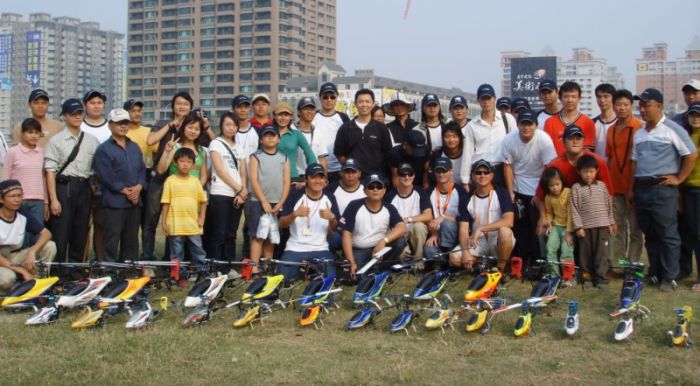
[Heli] ALIGN 2006 funfly in Kohiong

Date: 2006/12/09
Time: 10:00-15:00
Location: in front of the Kaohsiung Museum of Fine Arts


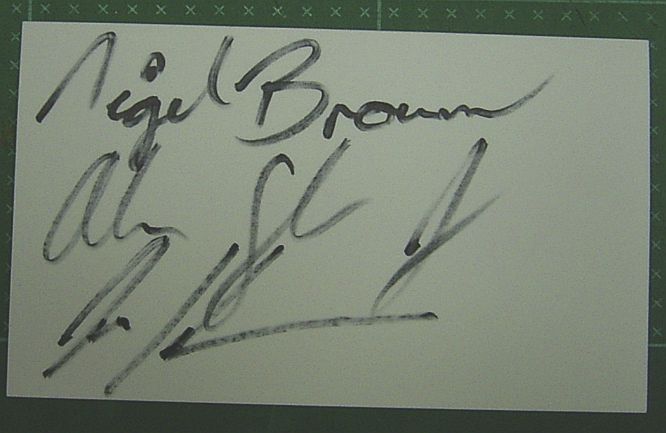
ALIGN held the activity for popularizing the RC helicopters and of course also their products. They invited 3 famous RC helicopter pilots, Alan Szabo Jr., Jason Krouse and Nigel Brown to make amazing 3D flying shows.

It is not easy for me to have the opportunity to meet these famous men face to face. Therefore, I invited some of my friends to attend the activity. They were very happy to see these RC pilots and thier stunting 3D flight.


However, I missed the most improtant show in that afternoon. I thirsted so much and then went to buy some iced drink. Unfortunately, I got into a traffic jam and couldn't get back to the field to enjoy the show!! Also, I missed the chance to take photos with all the people in the activity... Orz


After I was back to the field, all the shows was over!! What I could do was just to ask Alan, Jason and Nigel to autograph on the back of my visiting card. Finally, I took the photo with Alan and my friends. :-)

Tuesday, December 12, 2006

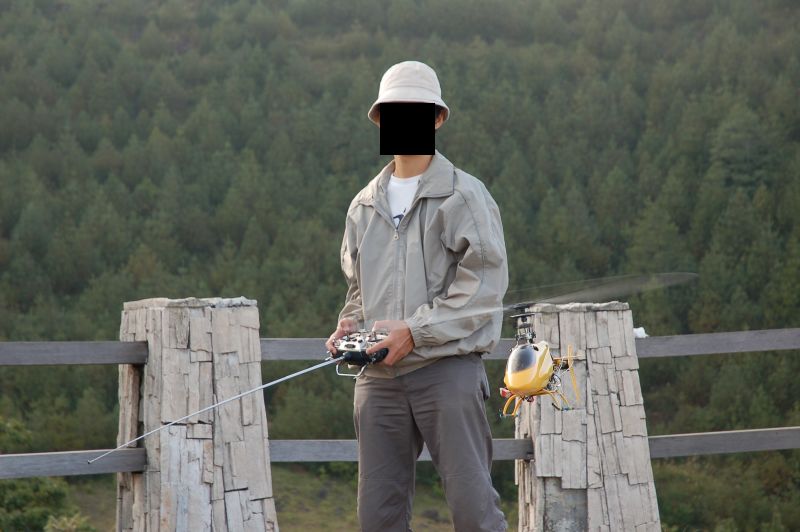
[Heli] T-rex flight at HIGH altitude (2280 m)

How high can the small electric helicopter fly at? Someone asked me about this when they saw me fly T-rex in front of our institute's building.

All I can say is only "Oh, very high, far beyond you can see it."

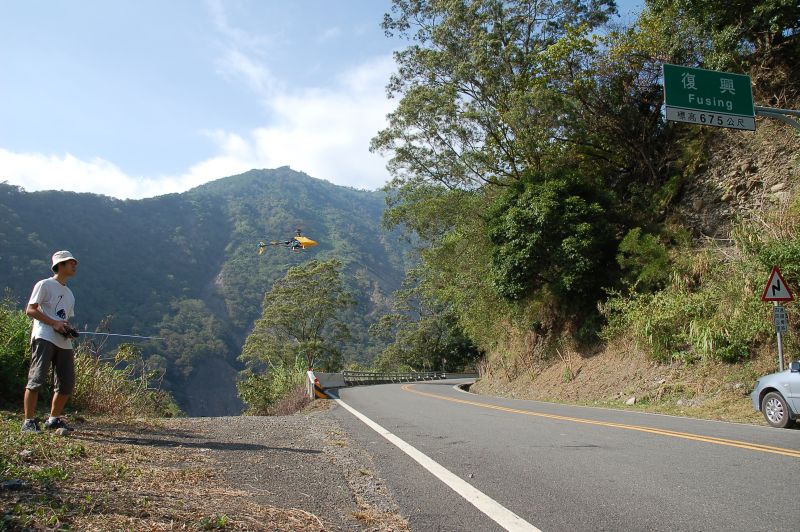
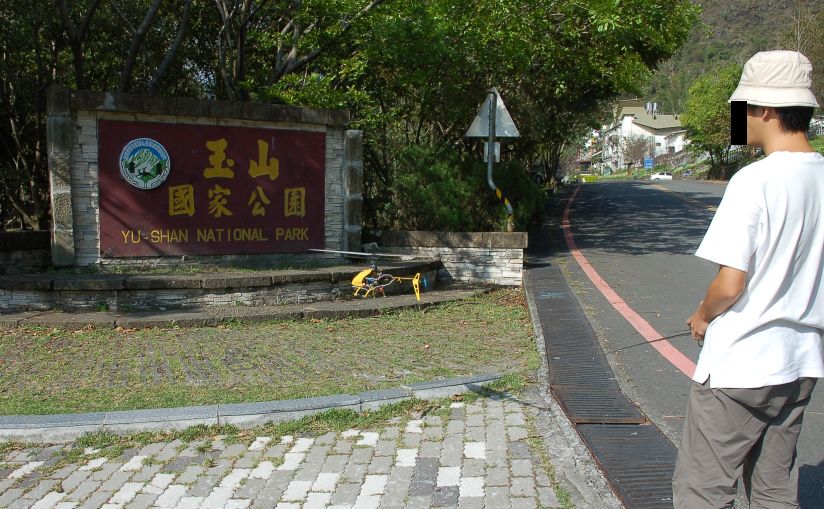
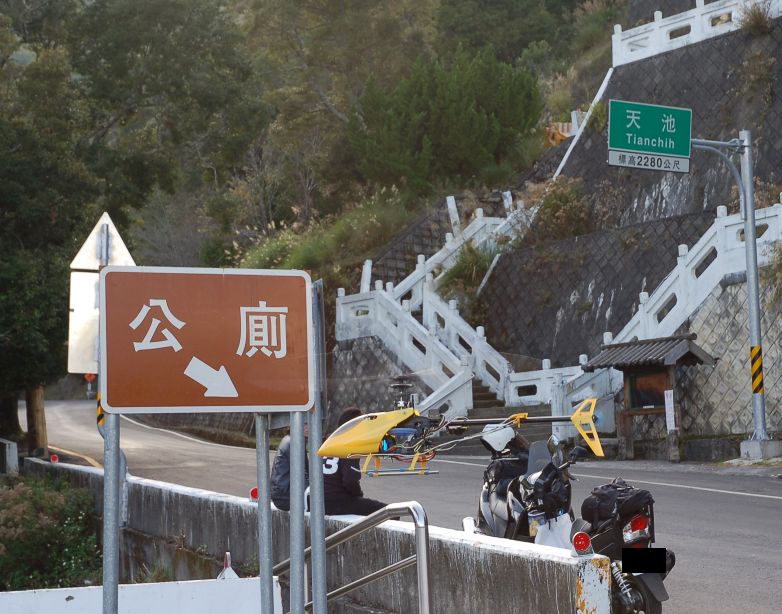
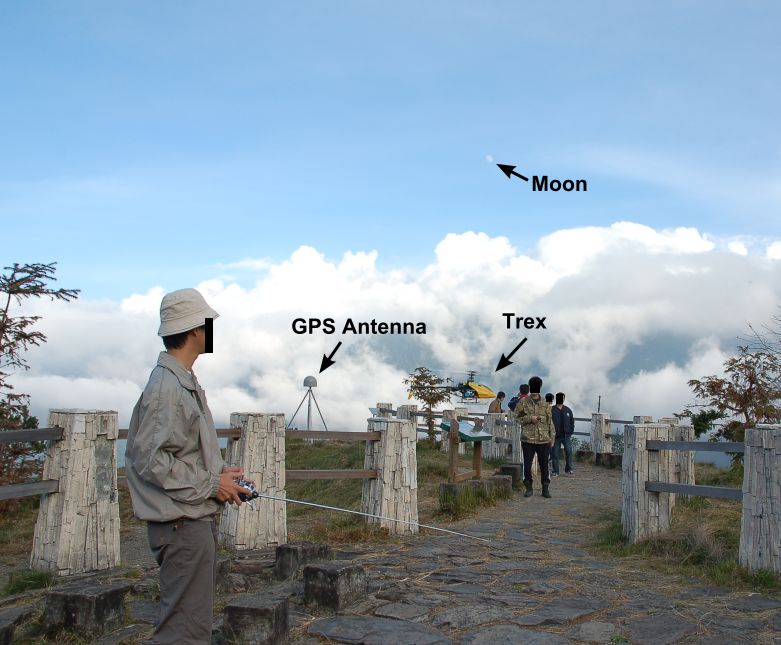
On December 1st, 2006, our lab went to the Southern Cross-island Highway for calibrating one of our altimeter. I took the T-rex with us because I just curious about the performance of T-rex at high altitude.

After the flight test, I can tell you "It still perform good for hovering at 2280 meters high." At that height, the air density is 80% of that at sea level.


[Heli] Unmanned Helicopter Project: H-LING

H-LING is one project of our lab. It is supported by National Science Council.

Our goal is to make the helicopter hover automatically. There were many flight tests to get data for system identification or some kind of analysis.

I am very lucky to involve in this project. For testing the vehicle, I have many opportunities to flight the helicopters. They are Raptor-90, 50, and even Hirobo Freya.

Here are some photos about our flight test on Novemver 24th, 2006.

Raptor-90 was ready to take off. I just checked it before our test pilot's coming.


I was talking to our test pilot (Tan Po-hu, the left one) to let he know what kind of flight data we want to get.


Our H-LING vehicle (Raptor-90) with the onboard computer and sensors.